You’ve heard the advice a million times.
Write great comments on popular blogs, and your blog will grow. Why, it’s so easy even a caveman can do it!
And it’s true — comments can be powerful. A great comment can land you on the radar of a popular blogger — the kind of super-connected influencer who can accelerate your success.
It sounds so simple.
The only problem?
Nobody tells you how to comment on blogs. You aren’t sure what a great comment looks like.
Is it a comment that shovels heaps of praise onto the author? Or one that argues a persuasive alternative view? Or one that simply thanks the blogger for their insights?
Because while many experts preach the virtues of strategic commenting, almost nobody tells you how to do it.
As a result, many well-intentioned bloggers are spending their precious time writing comments they think are great.
In reality?
Their comments usually suck.
Why Clumsy Commenters Make Terrible First Dates
If you think about it, blog commenting is a lot like dating.
You’re trying to woo another person, right?
With dating, you’re trying to woo someone into becoming Mr. or Mrs. Whatever Your Name Is.
With blog commenting, you’re trying to woo the owner of a blog.
You want them to notice you. You want them to reply to your comment. Secretly, you want them to visit and comment on your blog, follow you on social media, and ultimately become your best friend forever.
But is that possible if your comments are lame?
Sure, it’s possible…
It’s also possible to stumble into marriage, kids, and a house with a white picket fence even if you turn up to your first date with a mustard stain on your shirt and used the pickup line, “Did you hear about Pluto?”
But just because it’s possible doesn’t mean it’s likely.
That’s why it’s time to improve your commenting game.
To help you do that, let’s look in detail at the anatomy of a great blog comment.
But first, let’s look at the rookie mistakes that make most blog comments totally suck.
The Common Mistakes That Make Comments Suck
Mistake #1: Using a Novelty (or Non-Existent) Gravatar Image
You wouldn’t show up to a first date wearing a disguise, would you? Or wearing a plain paper bag over your head?
So why would you choose an image of Grumpy Cat or Ron Burgundy to represent you in blog comments? Or settle for the faceless silhouette that screams generic nobody?
Instead, let people see the real you.
They will be far more likely to feel a connection with you if they can see your face.
Besides, you know you’re sexy. Show us that smile!
Mistake #2: Using a False Name (or “Fun” Nickname)
Among your friends and family, you can go by Lil’ Bit, DJ Roomba, Superfly, House of Shane, or any other nickname you choose.
But unless you’re a spy, or in witness protection, using your real name on a first date is just the right thing to do. (Unless, of course, it’s a blind date and Gary Busey sits down at your table.)
The same is true in blog commenting. Bloggers, just like dates, want to know who’s trying to woo them. And someone who hides behind a pseudonym likely isn’t a long-term prospect.
Mistake #3: Dumping Links in Your Comments
Imagine you’re on a date and, halfway through, your date suddenly asks if you have life insurance.
You try to wave it off, but they begin discussing rates and policies with you.
“Oh no,” you think to yourself. “This isn’t a date … this is a sale’s pitch!”
If you embed links in your comments, bloggers are likely to react similarly. It comes across as a cheap attempt to peddle your lemonade on their lawn.
And usually it won’t matter how insightful your words are or how relevant your link may be; the blogger will feel an irresistible urge to kick you off their property.
Mistake #4: Failing to Read the Post Before Commenting
Ever been on a date with someone from Match or eHarmony who didn’t bother to read your profile?
“Do you have any hobbies?” they’ll ask despite your profile’s thousand-word tribute to paper mache. “Fancy a juicy steak?” they’ll suggest despite your publicly stated veganism.
It’s the same with blog commenting. Yes, you’re busy. Yes, reading a post thoroughly before commenting takes time.
Know what else takes time? Getting your foot out of your mouth.
When you comment on a post after skimming it or — worse — not reading it at all, you greatly increase the chances you’ll say something silly.
Mistake #5: Droning On and On (and On)
Some people like the sound of their own voices. Ask them what music they like, and they’ll take you on a 12-minute journey into the minutia of John Mayer’s latest album.
One-sided conversations on a date are not much fun and neither are blog comments that last forever and a day.
Many great comments are on the longer side, but be careful not to confuse quantity with quality.
A 500-word comment isn’t better than a 100-word comment. It’s usually just five times longer.
(And probably five times more boring.)
Mistake #6: Repeating What the Post Just Said
Ever had a date where the other person repeated everything you said?
You love Kevin Costner movies? So do they.
You adore Mexican food? Yep, them too.
You hate Mondays? They hate Mondays.
In the blogging world, this kind of parroting is a (re)Pete Comment.

It doesn’t add to the conversation. It doesn’t ask questions. It doesn’t challenge an idea.
It simply repeats what was said in the post.
It’s okay to summarize, but your comment needs to be more than the CliffsNotes version of the post you just read.
Otherwise, what’s the point?
How to Write a Good Blog Comment (Plus: Lots of Examples)
Now that we’ve inoculated you against writing comments that truly suck, let’s look at the structure of a comment that stands out for all the right reasons.
How does a great comment begin? How does it end? What’s the stuff that goes in the middle?
Here are the essential parts, from top to bottom.
Part #1: The Friendly Greeting
Let’s go back to our dating analogy…
You meet your handsome guy or beautiful gal at a restaurant for your first date. Could they be the one? They don’t look crazy or anything.
Hopeful, you take a deep breath, smile, and say hi.
But instead of greeting you or even acknowledging you, your date just starts talking.
No preamble — they launch right into talking about their day.
Did you know they have a co-worker named Mr. Buttons? Did you know they have a peanut allergy?
You do now.
Memorable date? I suppose.
A date you would like to get to know better? Definitely not.
And yet, every day, thousands of comments are written that do not bother to acknowledge the post’s author in any way, shape, or form.
Do they think robots wrote the post instead of a human being? Do they believe greetings are an outdated ritual from a bygone era? Or are they simply too lazy to scroll back to the top to find the author’s name?
If you’re hoping to catch the attention of bloggers and strike up a relationship, a healthy dose of proper etiquette can go a long way.
So say hello to them.
Greet them.
Refer to them by name.
How To Do It
This one’s so simple, it shouldn’t need explanation. But here’s how to do it anyway.
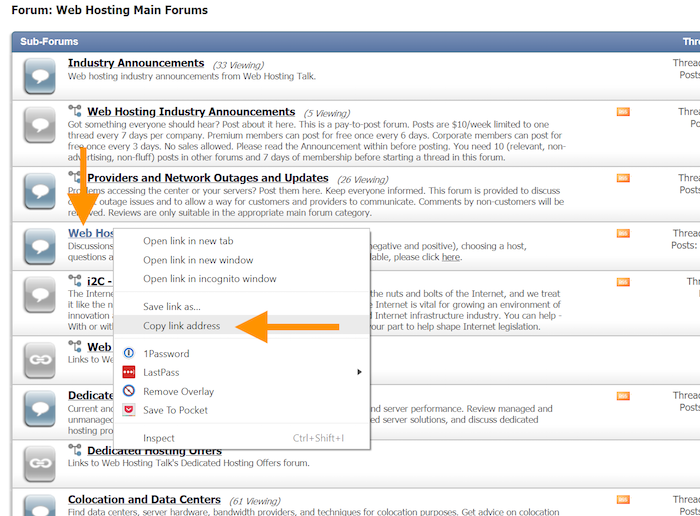
Scroll back to the top of the post and find the author’s name. If you are prone to misspellings, here’s a comment editing tip — copy the name so you can paste it into your comment.
Then say hello. Or hi. Or howdy, if you’re feeling folksy.

You’ll only spend a few seconds to get your comment started on the right foot.
It’s time well spent.
Part #2: The Sincere Compliment
You meet your date for the first time.
“Wow! I love your outfit,” you might say.
Or, “I really like your car.”
Or even, “Your SpongeBob tattoo is awesome!”
The details are different each time, but the act is the same. When you’re on a date, you pay the other person a compliment. It’s what you do in civilized societies.
Once again, blog commenting isn’t any different.
Remember, you’ve chosen to be on this person’s blog, not someone else’s. You’ve chosen to read their post instead of another. You must have a reason to want to connect with them over any of the other million bloggers you could be trying to connect with at that moment.
Chances are, you like them. You value them. You respect them.
So pay them a compliment…
Tell them how much you enjoyed their post…
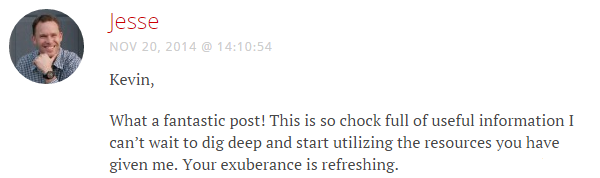
Make their day…
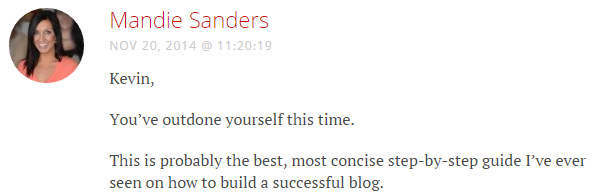
Tell them you dig their groovy tunes…

In short, pay them a compliment. Any compliment. Just make sure it’s a sincere compliment.
How To Do It
You can focus on the blogger, the post itself, or a combination of the two.
Are you a fan of the blogger’s body of work? Tell them so. Say how much you enjoy their writing. Even better? Tell them about a specific example where their writing has helped you.
If you choose to focus on the post itself, talk about a particular point within the post that truly hit home for you. Did it change your outlook on a topic? Did it motivate you to go out and take action? Did it rock your world? Tell them so.
(Plus, you don’t want to come across as a creepy stalker.)
Part #3: The Added Value
Now we’re into the meat of what makes a great comment great.
Greeting the author and paying a compliment are nice, but no one cares how good the appetizers are if the main course is a garbage sandwich with no mayo.
Your goal in every comment should be to add value. If your comment doesn’t add value, it’s wasting everyone’s time.
Of course adding value has become one of those overused and meaningless phrases in the blogging world. Like Sriracha sauce, people tend to throw it around and use it for everything.
What does it actually mean?
In this context, it means doing something that makes you appear valuable — useful, insightful, entertaining, or interesting — to the blogger you’re aiming to woo. In other words, anything that establishes you as a person worth knowing and helps develop a personal relationship.
You do that by making a positive impression and then building upon it.
But how?
Let’s review some tactics that work every time.
Value Tactic #1: Share Personal Insights or Anecdotes
Did a particular point in the post hit home for you? Did you find something particularly relatable? Did the post bring up an area in which you’re struggling?
When you share a personal insight, bloggers can more easily relate to you. You’re no longer just an unfamiliar name making a comment that could have been left by anyone…
You’re a blogger with a story!
How To Do It
Don’t worry about channeling Herman Melville; remember, comments don’t have to be long to be effective.
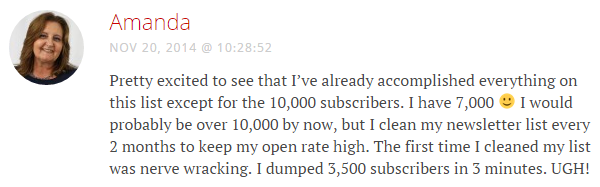
Amanda Formaro demonstrates this perfectly in her succinct comment about email subscribers.
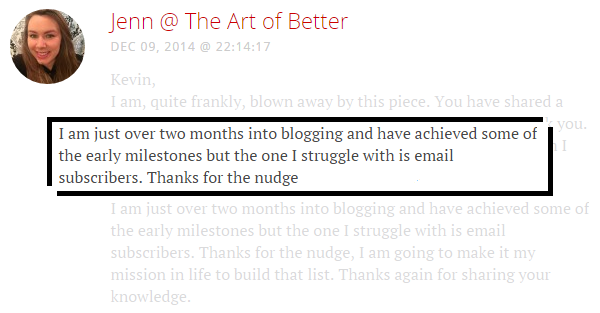
In the same discussion, Jenn establishes a connection by sharing her struggles.
Don Purdum, meanwhile, enhances the post by sharing details of a conversation he’d had just days earlier.
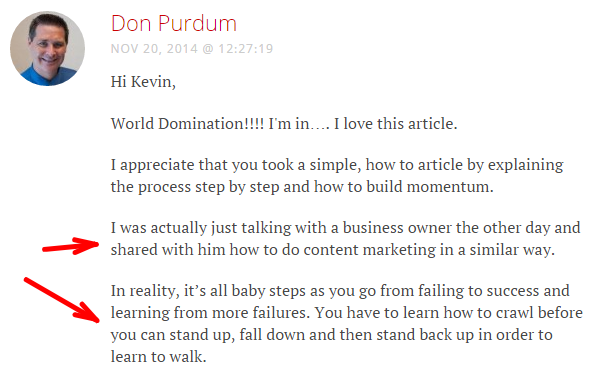
The number of ways you can share insights and examples are myriad. But the more personal your insight, the more unique it will be. And the more unique your insight, the more memorable your comment will be and the more you’ll stand out.
Value Tactic #2: Ask Thoughtful Questions
Was an idea presented in the post that you didn’t fully understand? Did you want the author to expand on a certain point? Did the post spark an inquiry?
Asking thoughtful questions is an excellent way to build relationships because it starts a one-on-one conversation with the blogger.
You ask them a question; they answer. It’s pure, simple, poetry in motion. And it’s a great way to introduce yourself to bloggers you enjoy.
How To Do It
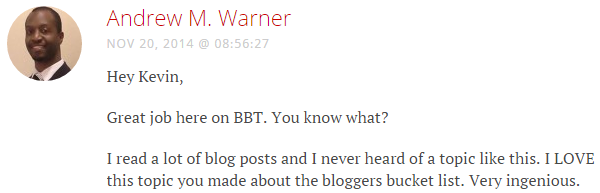
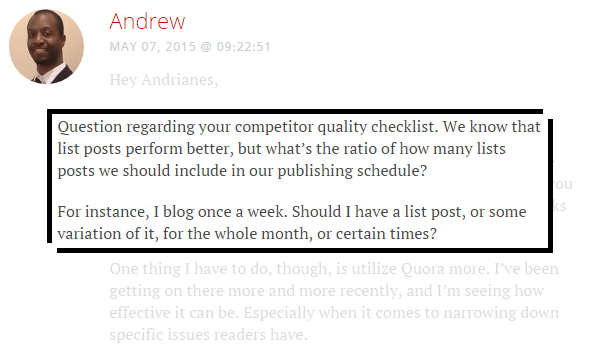
Andrew Warner went the inquiry route after reading Andrianes Pinantoan’s blog traffic case study:
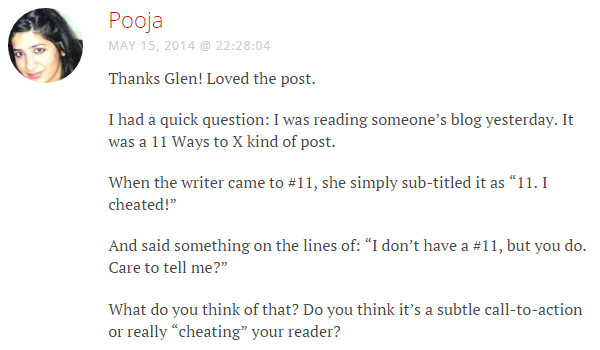
Pooja, an excellent writer in her own right, did the same after reading Glen Long’s post on crystal clear writing:
And Gertrude Nonterah, after reading the blogger’s bucket list, took the opportunity to ask a question that had been weighing on her:
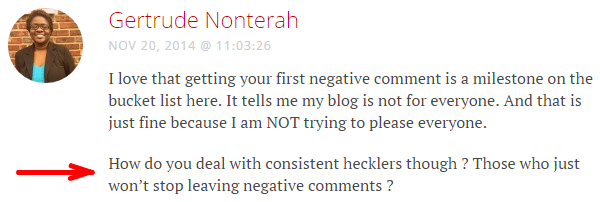
Sometimes for brevity’s sake, an author won’t fully flesh out a detail in his or her blog post. So if the article contained a detail you want expanded upon, don’t be afraid to comment and ask.
Value Tactic #3: Contribute To The Discussion
Were 10 ideas presented in the post, but you know an 11th? Want to flesh out a point discussed in the post? How about a detail that wasn’t covered at all?
If your comments enhance the overall value of the post, few bloggers will fail to see the benefit of your contribution. Sometimes they’ll even update their post in light of your comment — which is a major validation of your ideas.
And bloggers love when the comment count for their posts get higher and higher. It’s validation that their work is reaching people.
When you write a great comment that adds to the discussion, it often has a domino effect. Others will respond to your comment, which will fuel even more comments.
The result is more people reading and discussing the blogger’s work, which means a higher comment count.
Bloggers love that — and they love the commenters who help make that happen.
How To Do It
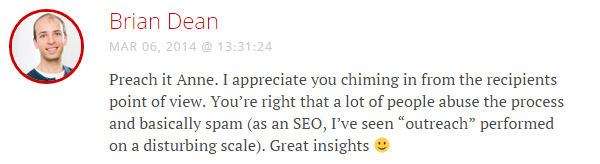
A great example of this is the following comment Anne R. Allen left Brian Dean in his blogger outreach post here at Smart Blogger.

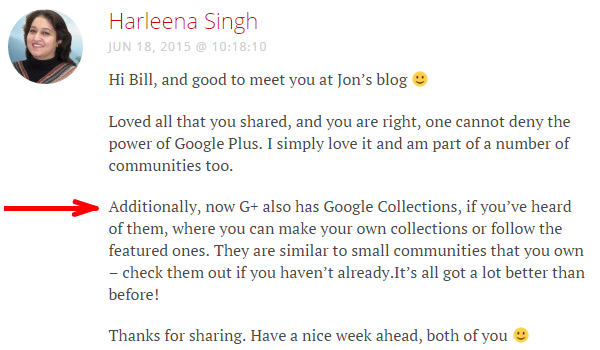
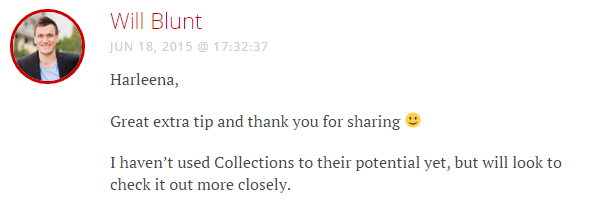
Another is the comment Harleena Singh left Will Blunt in his guide on Google+.
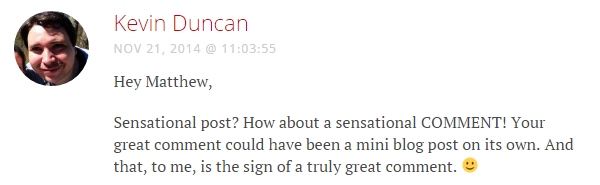
And one of the best examples you’ll ever see is the comment Matthew Harding left on Smart Blogger’s post on blogging milestones. Here is a snippet:

When you add value via a great comment, you’re investing in the blog post.
Blog owners love that. They appreciate it.…
They learn from it.…
They remember it.
Part #4: The Parting Promise
After a successful first date, each person is usually looking for a clue that that the other enjoyed themselves and that a second date might be in the cards.
That clue could be a lingering smile. It could be a casual remark about not having any plans the following Saturday. It could be the other person actually saying, “I enjoyed myself and would like to see you again.”
Whatever form it takes, it sends the message that this date was not just a one-off.
And when wooing a popular blogger, you’d be smart to let them know you’re interested in a longer-term relationship too.
That’s why great blog comments make a promise at the end. They tell bloggers, “Hey… I enjoyed this so much I want to keep the party going!”
How To Do It
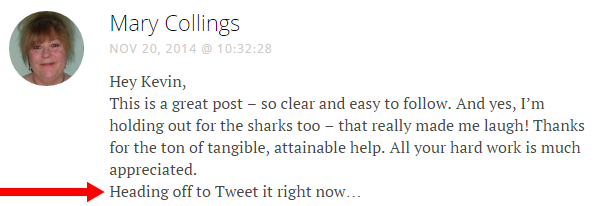
One great way to make a promise is to tell the author you’re going to share the post on your favorite social media platform…
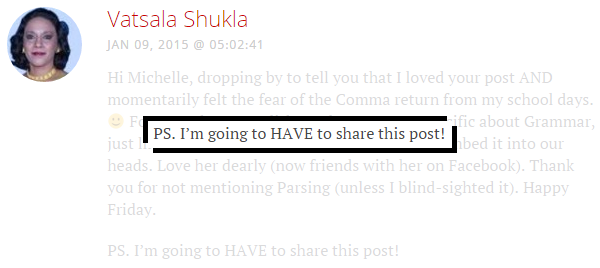
Tell them their post is so good you have no choice BUT to share it…
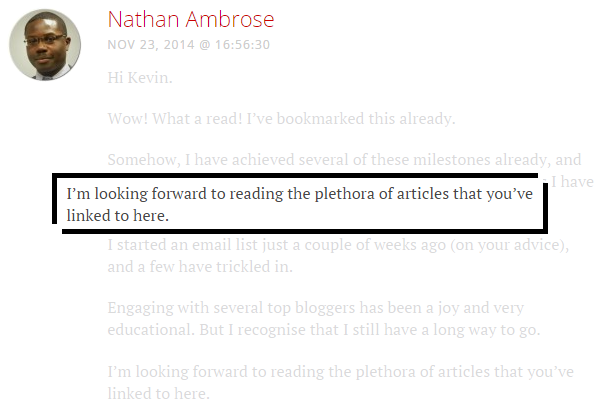
Or channel your inner Arnold Schwarzenegger and tell them, “I’ll be back” (to read more of your content)…
But whatever promise you make, be sure to keep it.
Tweet the post like you said you would. Read the blogger’s other posts, and leave more comments. In other words, do exactly what you said you would do.
And when you share the post on your favorite social media platform, be sure to tag the blogger — let them know you followed through…

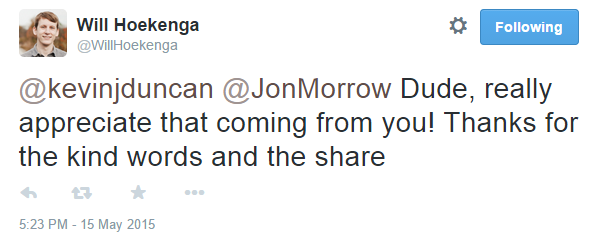
And if the bloggers are anything like Will Hoekenga, they’ll notice and express their gratitude…
Examples of Blog Comments that Kicked Butt (and The Extra Ingredient They All Share)
So what does a comment that has each of these elements look like?
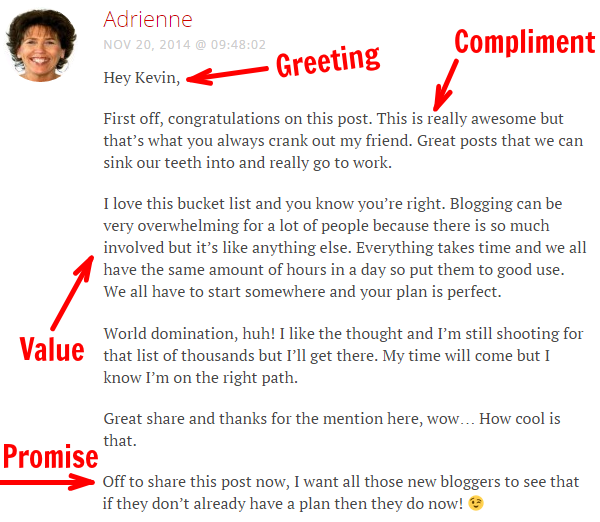
It looks a lot like this comment from Adrienne Smith:
And it looks a lot like this comment from Carol Amato:
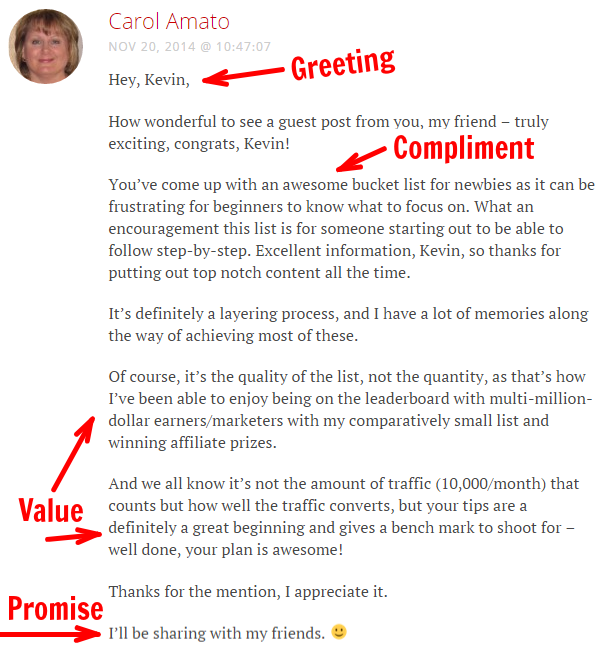
Adrienne’s and Carol’s comments start with greetings, go straight to compliments, add value to make connections, and end on promises.
But beyond that, they add an additional element present in every great comment…
Personality.
Any robot can start a comment with a greeting and end it with a promise.
But for a comment to take that next step, for a comment to get you noticed by the blog’s owner, you have to let “you” shine through.
As Jaime Buckley once wrote: “Unless you’re engaging, my eyes will glaze over. We all have a personality, but do you use it? Does it come out in your comments?”
Jaime should know. He’s an expert at letting his personality shine through in his comments. The comment he left for “The Blogger’s Bucket List: 20 Must-Reach Milestones on the Path to World Domination” is a perfect example.
Here is a snippet:
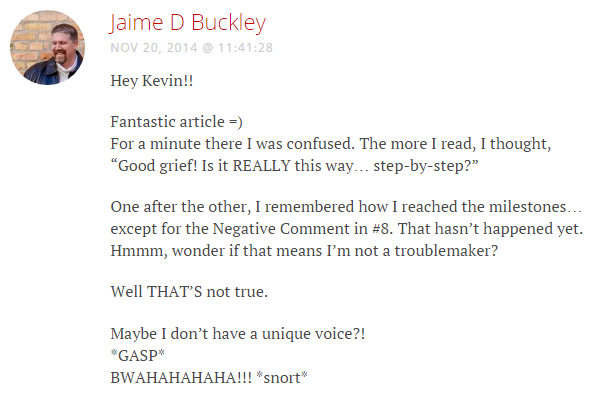
Jaime writes his comments the way he might write an email to a friend.
It’s refreshing and it’s an excellent way to get noticed.
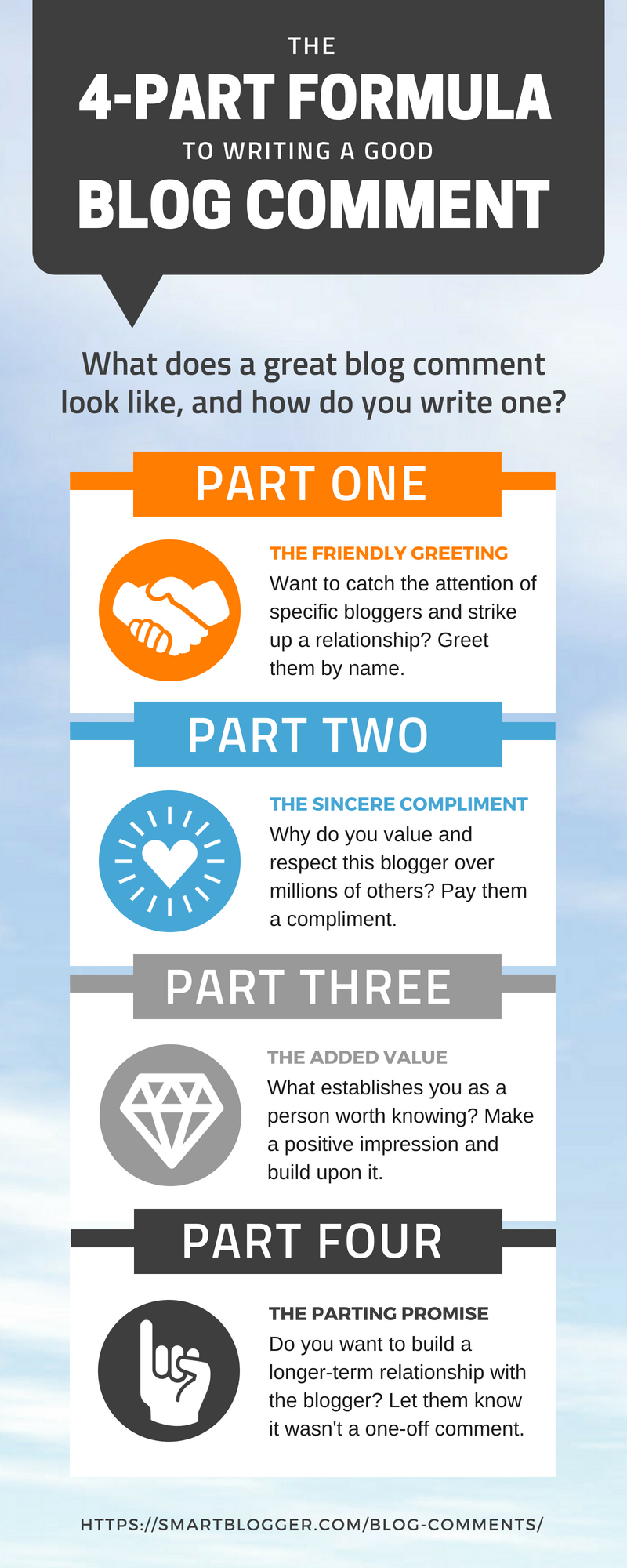
For a handy visual reminder of the four-part formula, check out the image below (click to see a larger view):
Embed This Infographic On Your Site
The Rich Rewards That Flow from Carefully Crafted Comments
You may be wondering at this point…
Is it worth it? Is it worth putting all that time and thought into a single blog comment?
Well, that depends on what you’d like to achieve from your blogging efforts.
Would you like influential bloggers to notice you and follow you on Twitter?
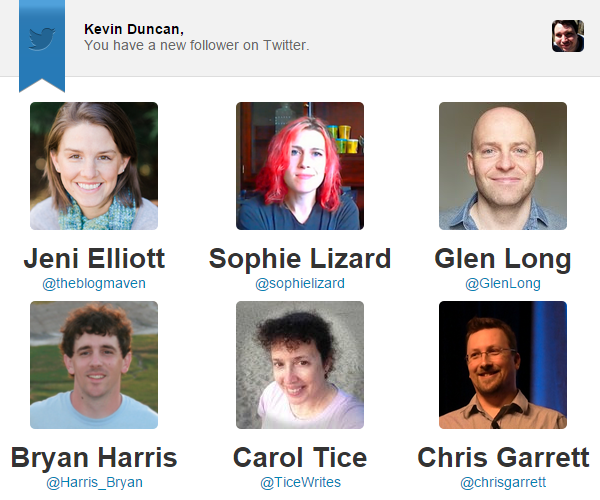
Do you want to expand your reach on other platforms like Google+?

Would you like Darren Rowse, Pamela Wilson, and other blogging icons to share your posts with their followers?
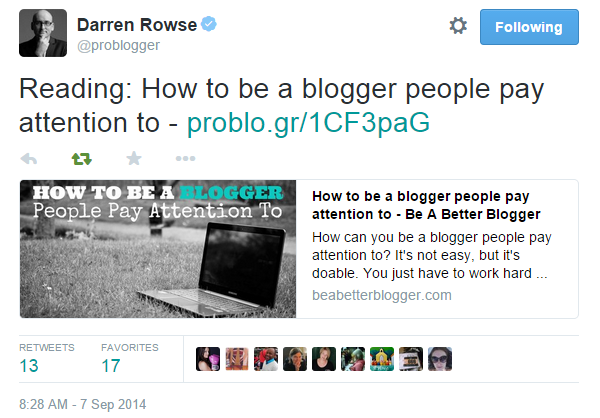
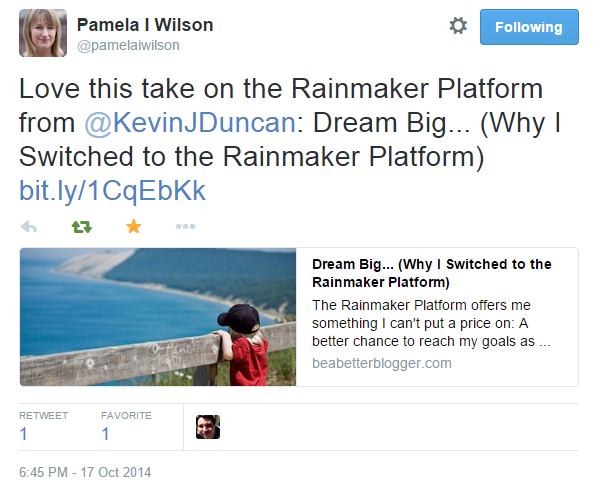
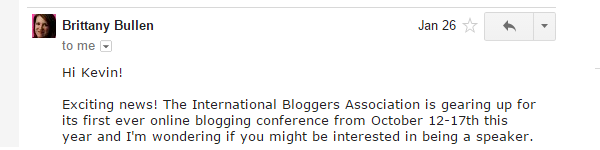
Would you like to be invited to participate in expert roundups, conferences, and other great opportunities?
Would you like to receive emails out-of-the-blue from super-cool and talented people asking you to write for them?
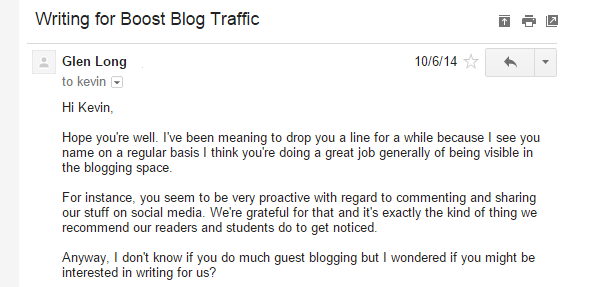
Would you like to have your work published on one of the biggest, baddest blogs in the world?

Because this is what can happen when bloggers notice you.
It isn’t easy, and it doesn’t happen overnight. And, clearly, great comments alone won’t catapult you to world domination.
But they’re a critical, often-overlooked component. And most people who try it write comments that suck.
In a sea of sameness, great comments with great personalities stand out like Jim Carrey and Jeff Daniels at a charity gala for the preservation of the endangered Icelandic snow owl.
They’re capable of getting other bloggers to sit up, take notice, and ask themselves: “Who is that?”
So tell me, now do you think it’s worth it?
Let’s Find Out Where Comments Could Catapult Your Blog
Comments are perhaps the most misused — and least understood — weapons in the ambitious blogger’s arsenal.
That’s why most blog comments suck.
You now understand the anatomy of the perfect blog comment, so you can start crafting your comments with purpose.
Comments that get you noticed.
Comments that woo popular bloggers.
Comments that cause opportunities to drop into your lap.
The days of frowning cat gravatars are over. Repetitive comments are yesterday’s news. Empty contributions have gone the way of the dodo.
So, are you ready for a new era of smarter commenting?
Are you ready to discover where it could take you?
Then let’s do this thing.
The post How to Write Blog Comments That Stand Out to Influencers (Plus Examples!) appeared first on Smart Blogger.
source https://smartblogger.com/blog-comments/